Guide · Updated October 2026
Compress an entire folder of videos
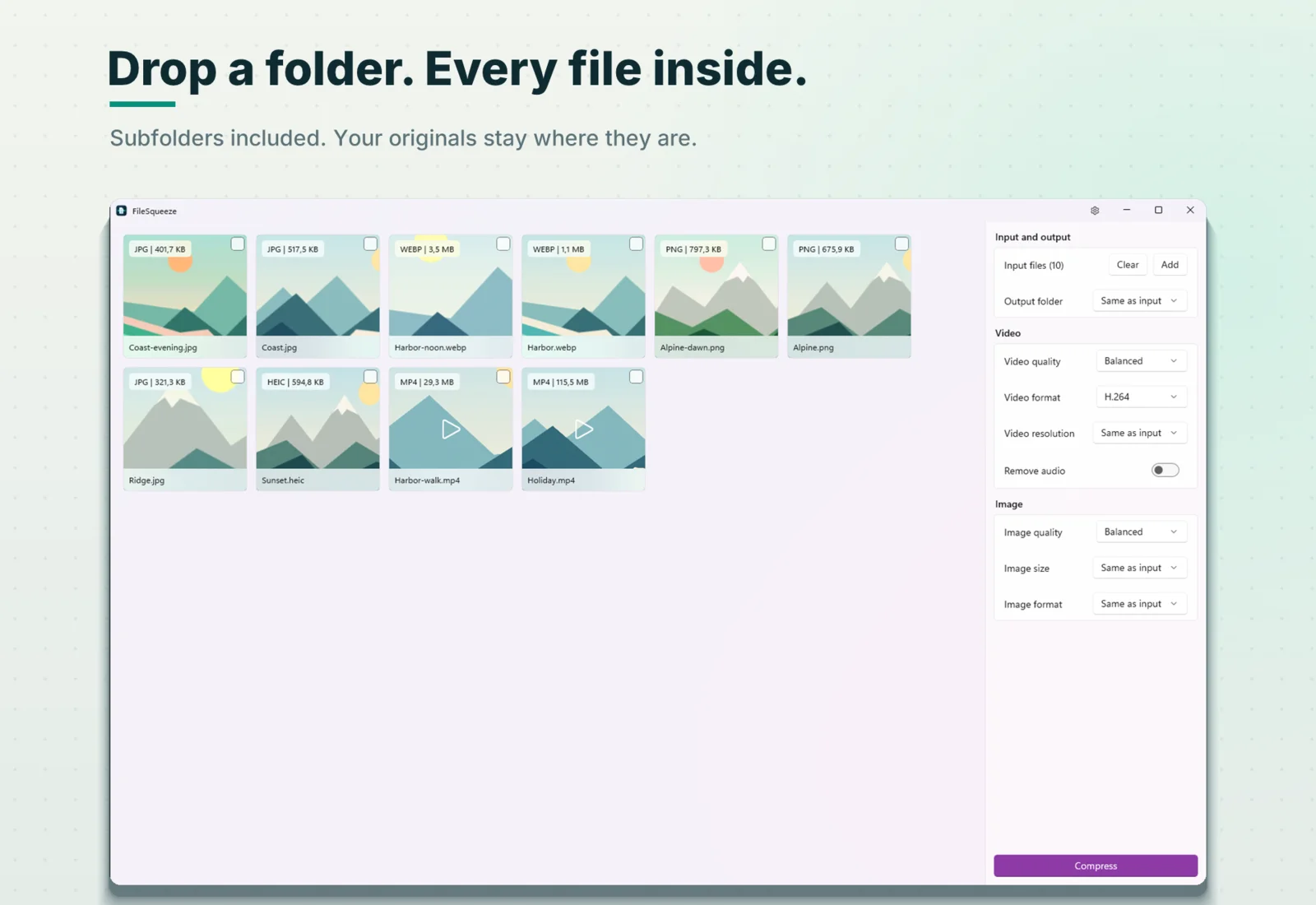
Drop a folder into FileSqueeze and it compresses every video in it, including all subfolders, locally on your PC. No uploading files one by one. No browser limits. No subscription.

$9.99 one-time · 7-day free trial
How it works
- 1Open FileSqueeze.
- 2Drag the folder from File Explorer onto the window. Folders are added by drag and drop; the Add button picks single files.
- 3Every supported video (and photo) in the folder and all its subfolders appears in the queue.
- 4Choose a quality and, if you want, an output folder.
- 5Press Compress.
What happens to your folder
Default: results next to the originals
D:\Videos\
├── clip1.mp4
├── clip1-squeezed.mp4        ← new
├── clip2.mov
├── clip2-squeezed.mp4        ← new
├── recording.mkv
├── recording-squeezed.mp4    ← new
└── Trip\
    ├── clip3.mp4
    └── clip3-squeezed.mp4    ← new
With an output folder: the same tree, somewhere else
Choose an output folder, for example E:\Compressed. FileSqueeze repeats the folder structure there, so two files called clip.mp4 in different subfolders never collide:
D:\Videos\                      E:\Compressed\
├── clip1.mp4                   └── Videos\
├── clip2.mov          ──►          ├── clip1-squeezed.mp4
├── recording.mkv                   ├── clip2-squeezed.mp4
└── Trip\                           ├── recording-squeezed.mp4
    └── clip3.mp4                   └── Trip\
                                        └── clip3-squeezed.mp4
The originals in D:\Videos are never changed, moved or deleted.
The details people ask about
| Question | Answer |
|---|---|
| Are subfolders included? | Yes, at every depth. |
| Is the folder structure kept? | Yes. Beside the originals, or repeated inside your output folder. |
| What happens to the originals? | Nothing. They stay exactly where they are. |
| Output format | MP4, H.264 (plays everywhere) or AV1 (smaller, needs AV1 GPU encoding). |
| Which videos are found? | MP4, MOV, MKV, WebM, AVI, M4V, WMV, MPG, MPEG. |
| Are photos in the folder compressed too? | Yes: JPEG, PNG, WebP and HEIC photos go in the same batch. Remove cards you don't want before you press Compress. |
| What if I drop the same folder again? | Earlier results (-squeezed files) are skipped, so nothing is compressed twice. |
| Videos that are already small? | AV1 and VP9 videos are skipped. Any encode that would end up bigger stops early, and the original is kept. |
| Can I stop halfway? | Yes. Press Stop. Finished files stay; the unfinished one is cleaned up. |
| Windows version | Windows 11 24H2 or later, x64. |
Large batches without babysitting
- The GPU encodes, the CPU decodes. On PCs with 8 or more logical cores, two videos are processed in parallel.
- No wasted hours. A video in an efficient format is skipped before encoding. An encode that is heading for a bigger file stops at about 15%.
- Your PC stays awake during the run (the display can still turn off).
- The taskbar button flashes when a long run finishes, so you can work in another window.
- Each file gets its own result: new size and % smaller, "Already small", or a clear reason it could not be read.
A real example
A "Trip" folder with four subfolders and ten photos and videos, Balanced quality, H.264, laptop with integrated AMD Radeon 780M graphics:
144.3 MB saved. 10 of 10 files. 5 seconds. The 1080p video Holiday.mp4 went from 115.5 MB to 6.1 MB.
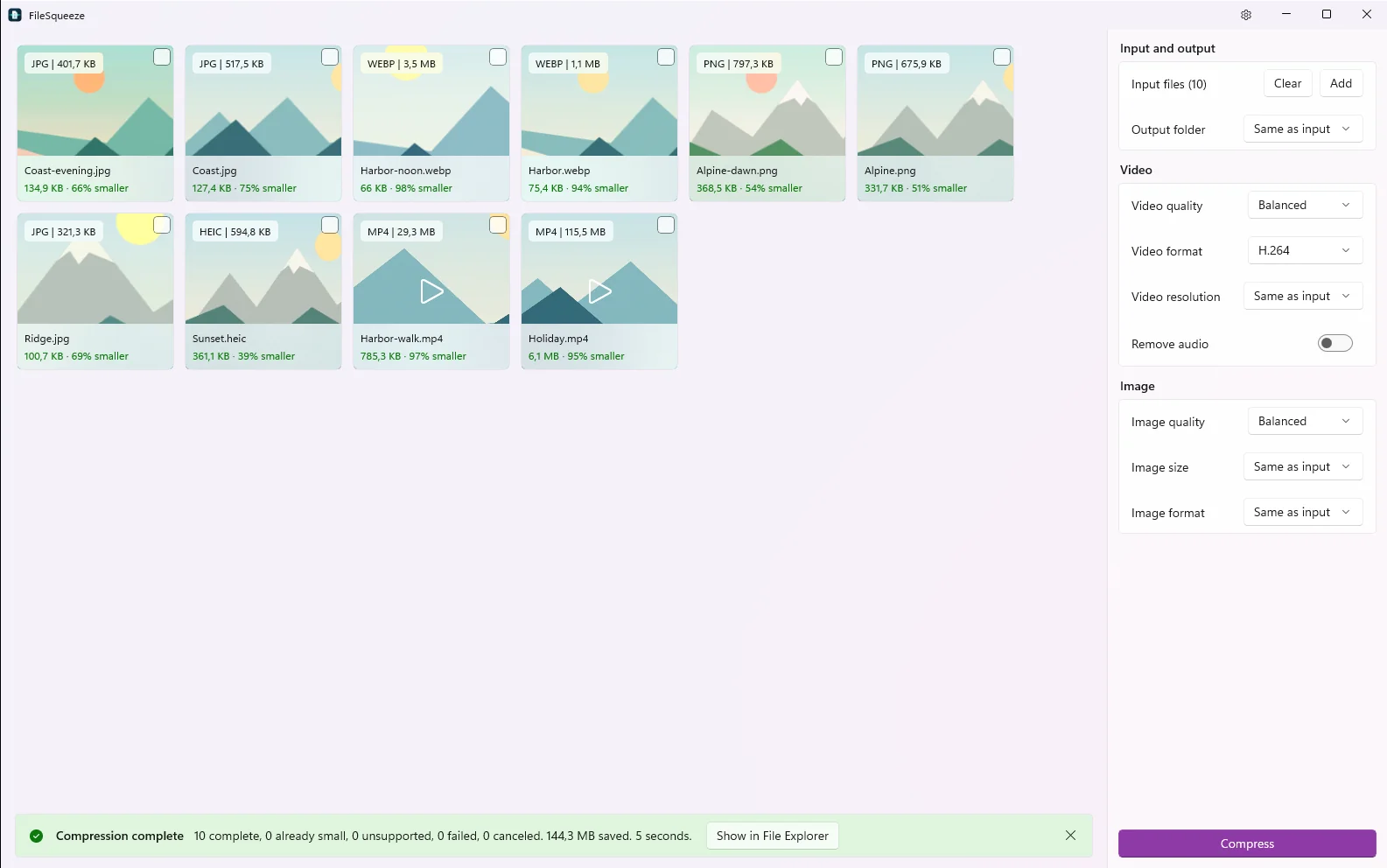
Savings depend on the source. Already compressed files may not get smaller. Phone video in HEVC is often already efficient and may not get much smaller.
Settings for a whole folder
- Video quality: Maximum Quality, Balanced (default) or Smallest File.
- Video resolution: Same as input, 1080p, 720p or 480p. Never upscales.
- Video format: H.264 or AV1.
- Remove audio: on or off.
- Output folder: same as input, or a folder you choose.
One choice applies to the whole batch. You don't configure each file.
Make the whole folder smaller
One drop, every subfolder. Your originals stay put.
$9.99 one-time · 7-day free trial