How-To · Updated July 2026
How to Turn Screenshots into Notes on Windows
Short answer: Windows can already pull raw text out of a screenshot (Snipping Tool, PowerToys). But raw text isn't notes. To get structured, paste-ready notes — key points, action items, hashtags — drop the screenshot into TextBeam, pick a preset, and copy the result about 17 seconds later. Everything runs offline on your own machine.
The free, manual way (and where it stops)
For grabbing a sentence or a serial number, Windows has you covered without any extra software:
- Snipping Tool — take a screenshot, click the text-actions button, select and copy the recognized text.
- PowerToys Text Extractor — a hotkey that OCRs any region of the screen straight to your clipboard.
Both give you the same thing: an unstructured wall of text. If you screenshot a meeting slide, an error dialog stack, or a research page, you still have to reorder it, pull out what matters, mark the follow-ups, and file it somewhere findable. That cleanup usually takes longer than the capture did — and it's exactly the part worth automating.
Screenshot → notes, step by step
TextBeam combines on-device OCR with a local vision model, so it doesn't just read the pixels — it understands what the screenshot is about.
Install TextBeam + Ollama
Get TextBeam from the Microsoft Store ($6.99, one-time) and install Ollama, the free runtime that executes the AI models locally.
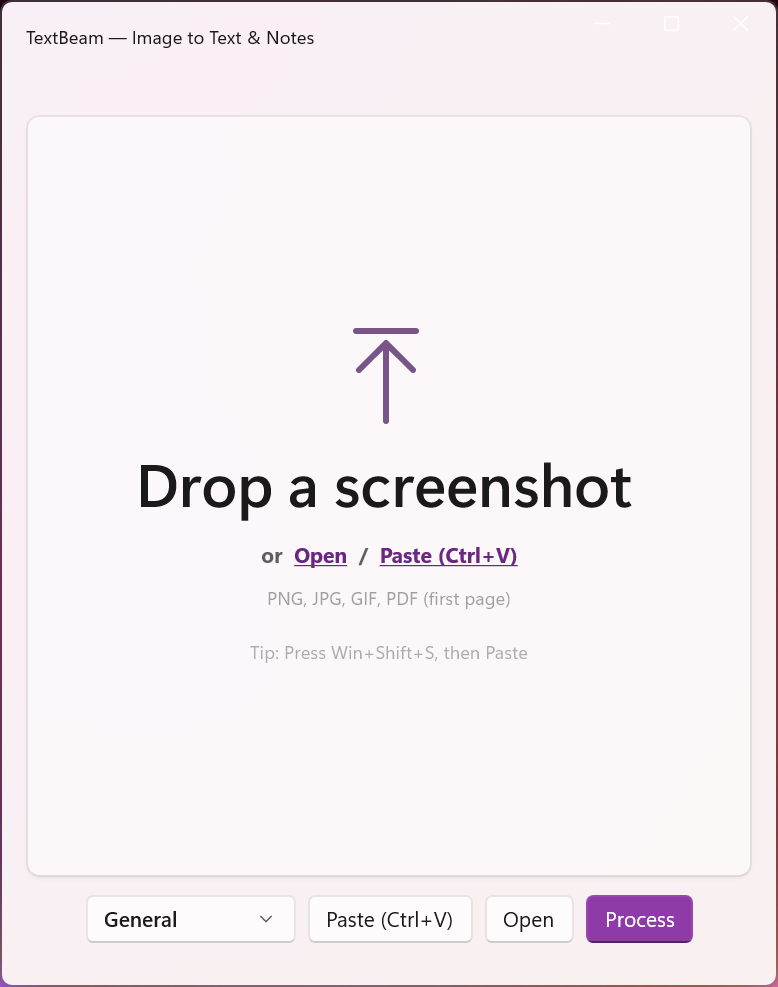
Drag & drop a screenshot
Any screenshot works — a slide, a bug, a dashboard, a page of a PDF.
Pick the preset that matches your intent
Seven presets shape the output: General, Bug Report/QA, Meeting/Planning, Research/Reading, Release/Changelog, Support Escalation, and plain Text Extraction when raw text is all you want.
Copy the notes
~17 seconds later you get crisp bullet points with key facts, action items, and hashtags for filing — ready to paste into Notion, Obsidian, OneNote, or a ticket.
Why offline matters for screenshots
Think about what you actually screenshot at work: internal dashboards, customer tickets, pre-release UI, contract pages. Most "AI screenshot" tools upload those images to a cloud service. TextBeam's OCR and vision models run entirely on your device through Ollama — nothing is uploaded, ever. That's the difference between a handy tool and one you can use on work content. More on this: how to summarize screenshots with AI, offline.
Frequently asked questions
Isn't Snipping Tool's text extraction enough?
For copying a line of text, yes. For turning a dense screenshot into organized notes with action items, you'd still be doing the structuring by hand — that's the part TextBeam automates.
Do my screenshots get uploaded anywhere?
No. Processing is 100% on-device via Ollama. TextBeam works without an internet connection once the local model is installed.
Is it a subscription?
No — one-time $6.99 on the Microsoft Store. No account, no recurring fee.
What are the system requirements?
Windows 10 or 11 (x64) and Ollama. A GPU makes processing faster but isn't required.
From screenshot to notes in 17 seconds
One-time $6.99. 100% offline. No subscription.
